Overview
Is Canva For Beginners worth joining?
Canva For Beginners is a free Skool community with 64 members and 1 admin running it.
Engagement looks relatively quiet right now: 0 members were online recently — about 0.0% of the base, across 55 total posts. Lower live activity often means members joined for the course content rather than daily discussion — fine for a course, riskier for a recurring subscription.
Analysis generated from live member, pricing, and activity data. Estimates only — verify on Skool before joining or buying.
About
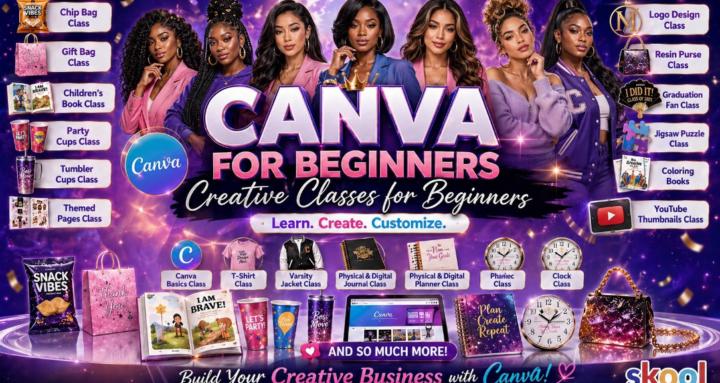
In this Canva community for beginners you will get help with Canva, ask questions, access to live classes, while having fun using and learning Canva
Owner

Lead Gen Mentor & Canva Expert over 15+ yrs experience. Need help w/ posting or on what 2 do 2 get results. Join my free Digital Help Skool Community
Similar communities

A community for anyone to learn practical skills in their pursuit of freedom, for free.

The Biggest Cybersecurity Community on Skool offering free courses, mentorship, networking, and tailored support to secure your cybersecurity role!

a community for those dedicated to raising their vibration, healing, letting go of limitations and creating freedom in all areas of life

Community for athletes that want to jump higher that includes a jump training course and vertical jump programming!

A community for learning how to wholesale real estate with no money, credit, or experience! Get your first check in under 30 days!

Ask the community a question in our forum or head to the Classroom to learn. We will be releasing videos weekly. Keep notifications on.

#1 community dedicated to anyone on their journey to becoming their best self.

Welcome to Digital Growth Community! Our Mission: To Help You Build a Daily Pay Customer Base Digitally!
Canva For Beginners — FAQ
Is Canva For Beginners free or paid?+
Canva For Beginners is free to join. There is no paid tier listed.
How many members does Canva For Beginners have?+
Canva For Beginners has 64 members. Membership data updates regularly from the public Skool listing.
Who runs Canva For Beginners?+
Canva For Beginners is run by coachtweet (@coachtweet on Skool).
How do I join Canva For Beginners?+
Open Canva For Beginners on Skool and click Join. It’s free to enter. You can also compare it against similar communities first using the Compare button on this page.
What is Canva For Beginners about?+
In this Canva community for beginners you will get help with Canva, ask questions, access to live classes, while having fun using and learning Canva
Auto-welcome every new member, save churners in 60 seconds, and track everyone in a pipeline — the automation the top communities use. Free plan, no Skool password needed.
Embed this listing
Embed your badge
Drop this on your site, sales page, or GitHub README. Updates live as your MRR grows.
<a href="https://tools4skool.com/communities/canva-for-beginners-4017" target="_blank" rel="noopener">
  <img src="https://tools4skool.com/badge/canva-for-beginners-4017" alt="Ranked on tools4skool" width="320" height="80" />
</a>[](https://tools4skool.com/communities/canva-for-beginners-4017)Tools4Skool plugs the holes Skool ships with — auto-welcome DMs, churn saver, CRM pipeline, member exports, analytics. Free plan forever. Connects to your @canva-for-beginners-4017 in 30 seconds.